How it works
Count your cash. Keep it clear.
From the first coin to a shareable record, here’s how Cash Counter by Balanceable works.
Make the count yours.
Choose AUD, GBP or USD at the top. Cash Counter displays the appropriate coins, notes, currency symbol and tax name.
Use Options to show a starting float, coin rolls, included tax or business details. Everything starts simple; add only what you need.
 AUD
AUDPut a name to the count.
Switch on Show business details to add a business name, the person performing the count, register number and location.
These optional details appear in the count summary and in PDF, CSV and email exports while the option is on.
Every coin and note adds up.
Enter a quantity for each denomination, or tap plus and minus. Cash Counter calculates the value of that row and updates Totals immediately.
Working from a known amount? You can enter the row’s value instead; the counter converts it into a count when it is a valid multiple of the denomination.
Separate the float and rolls.
A float is the starting cash kept in your till. Turn on Show Float to enter it and see sales after the starting cash is taken away.
Show Coin Rolls adds a separate roll card. If rolls are part of your float, turn on Include coin rolls in float? The app checks that the roll value does not exceed your float and explains any mismatch beside the field.
Roll sizes vary by currency and denomination.
See the full picture.
The Count Summary shows coins, notes and—when enabled—rolls, float, sales and included tax. The total stays visible alongside your count on wider screens.
Take your count with you.
Choose Export Count to download a styled PDF or CSV, or open a plain-text email summary when your count is ready.
The PDF shows your denomination counts and totals. The CSV is ready for a spreadsheet, and you can send the summary from your email app.
See the full step-by-step guide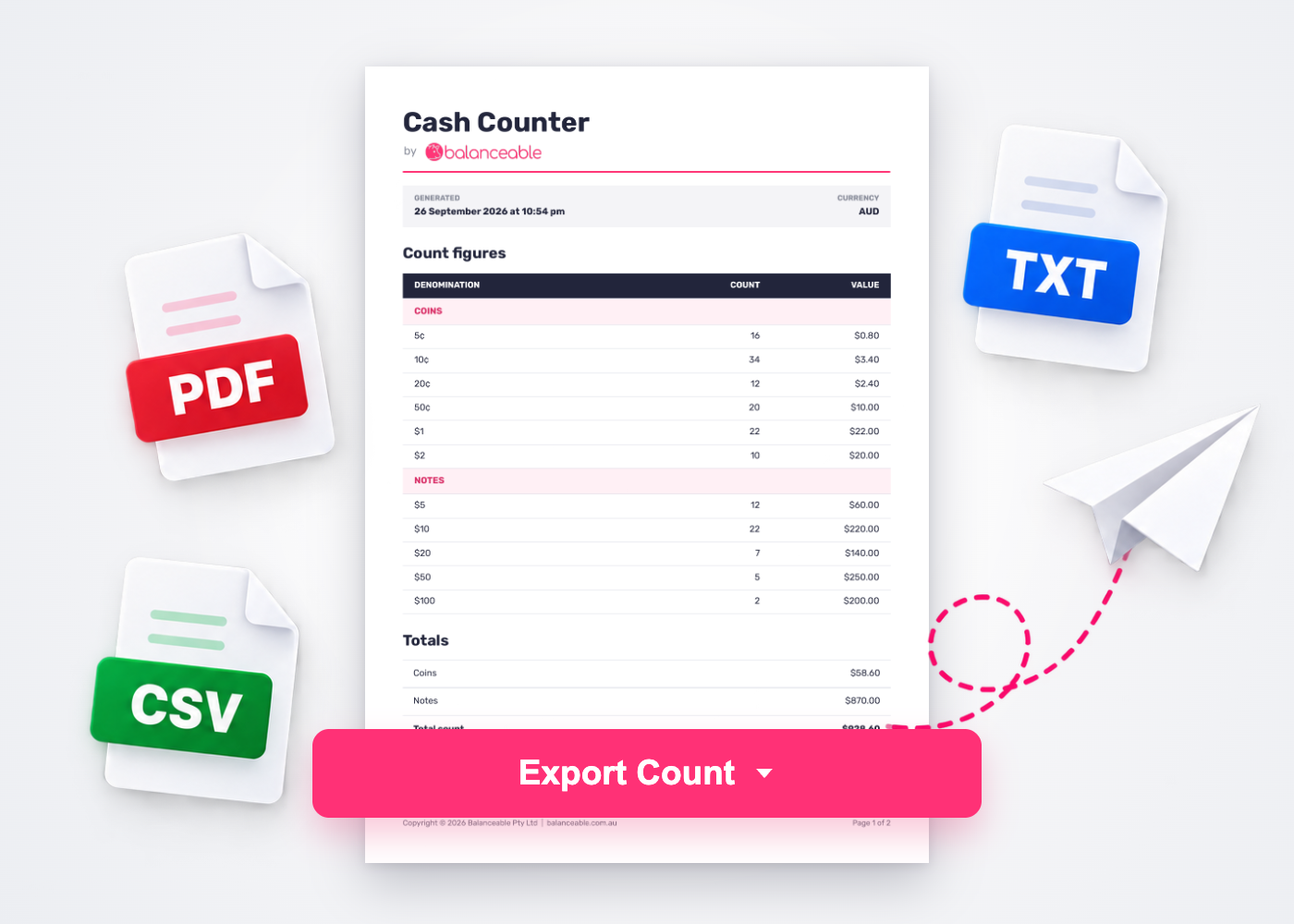
Continue or start fresh.
Your count, options and business details are saved in this browser on this device so you can return to them later.
The + beside TOTALS starts a new count after confirmation. It clears denomination quantities and the float amount but keeps your currency, options and business details. Clear saved data removes everything saved for Cash Counter from this browser.
Exports are created on your device, not our servers.
Your count, your device
Pick up where you left off.
Your count, options and business details are saved in this browser on this device. Start a new count while keeping your settings, or clear everything saved here whenever you choose. Exports are created on your device, not our servers.
Ready when you are
Your next cash count starts here.
Choose your currency, count each denomination and export a clear record.
Count your cash