
What is Hubdoc and why use it?
Hubdoc is a cloud-based document collection and data capture tool used by accountants, bookkeepers, and small businesses to streamline bookkeeping. It acts as a central hub for financial documents such as receipts, invoices, bills, and bank statements.
When documents are uploaded, Hubdoc automatically extracts key information using smart data capture. This data can then be pre-filled based on your settings and seamlessly published to your accounting software, such as Xero, where it can be quickly matched to the relevant bank transaction.
By using Hubdoc to process your documents, you significantly reduce the manual effort involved in reviewing and entering data—saving time and lowering billable costs. It also creates a reliable digital audit trail, with documents securely stored and instantly accessible to your team whenever needed.
How do I use Hubdoc?
There are four ways to get your documents into Hubdoc:
- Emailing documents as attachments
- Uploading via the mobile app
- Uploading directly through the web portal
- Uploading via Fujitsu ScanSnap
The best method for your business depends on its size and the volume of documents you process.
Getting started
First, you’ll need a Hubdoc account. If you already have one, you’re good to go. If not, we’ll send you an invite along with instructions to get set up.
The quickest way to log in is by selecting “Sign in with Xero”, which uses your Xero credentials. Since Hubdoc is now part of Xero, it’s included at no additional cost for all Xero subscribers.

Sign in to Hubdoc using the “Sign in with Xero” option
1. Send documents via email
This method works on both desktop and mobile and is ideal for handling incoming bills and invoices.
Each Hubdoc account has a unique email address (e.g. businessname.8499@app.hubdoc.com). We’ll provide this to you, but you can also find it in:
Settings → Organisation → Uploading files via email
Any attachment sent to this address will automatically appear in your Hubdoc account for processing.
Best ways to use this method:
- Forward supplier invoices you receive via email directly to Hubdoc
- Set up automatic email forwarding rules for regular suppliers (for a more hands-off approach)
- Send scans or photos directly from your phone’s photo library or files app
2. Upload via the Hubdoc mobile app
This is the easiest way to capture receipts on the go.
Instead of holding onto paper receipts, simply open the Hubdoc app and take a photo as soon as you make a purchase. The app will automatically capture and upload the image—no need to manually send anything.
Once uploaded, the receipt is safely stored, so you can dispose of the paper copy if you wish. The app is available on both the Apple App Store and Google Play Store.
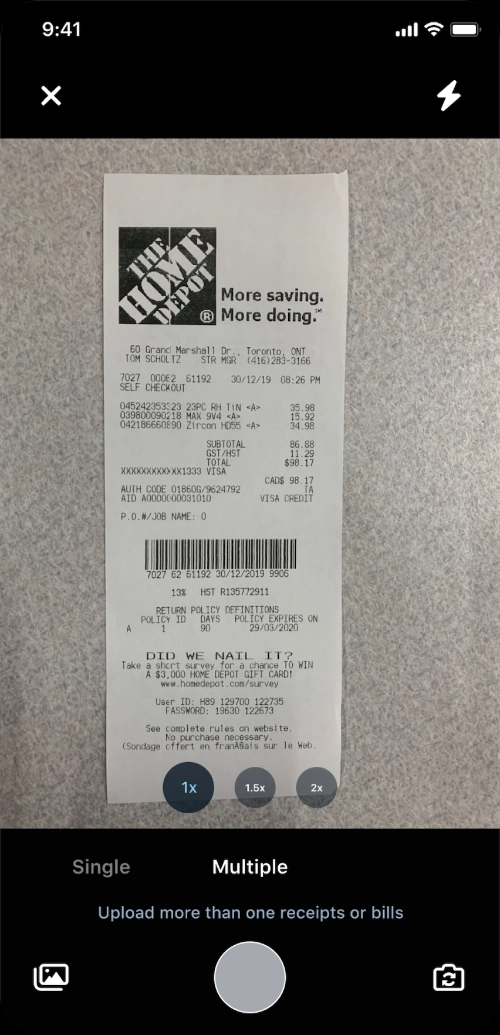
Snap receipts quickly
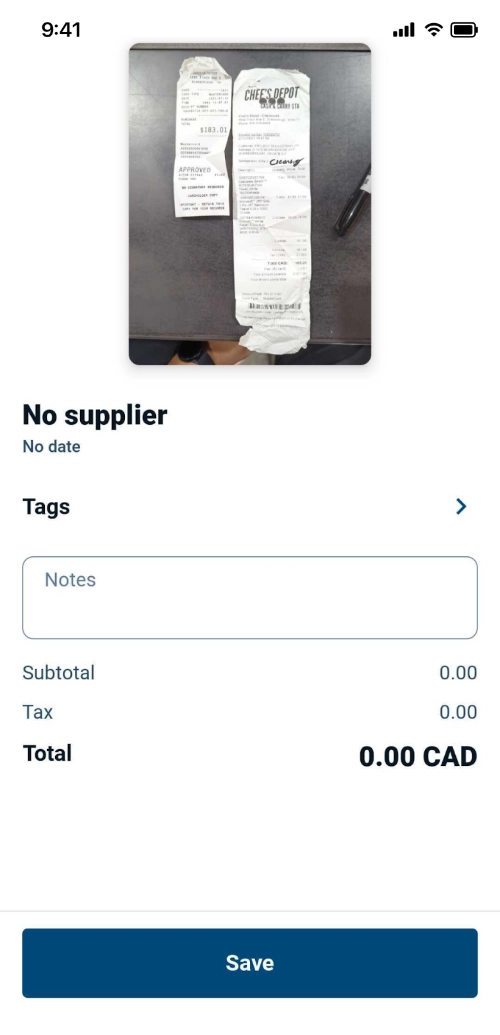
Add a note for your advisor
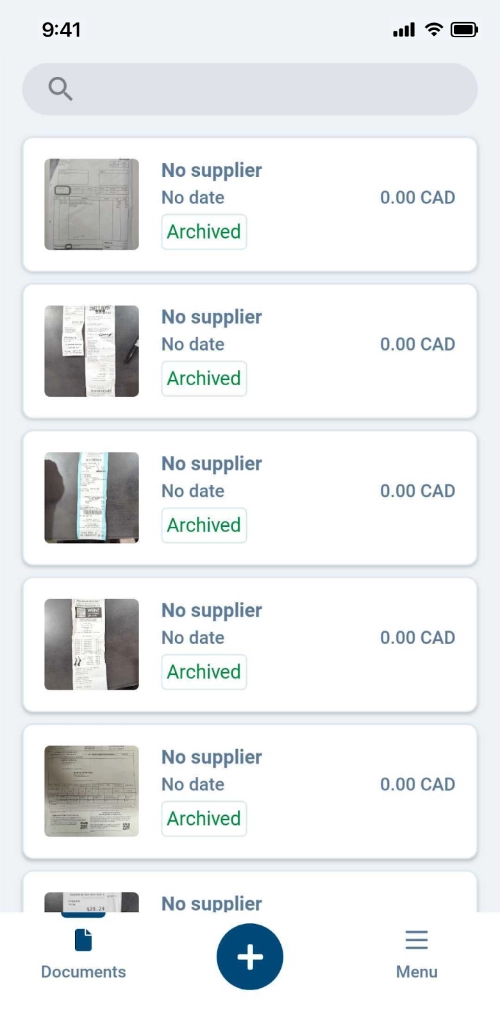
View all your receipts
3. Upload documents via the web
This method is best suited to businesses handling a high volume of documents or using scanners to digitise paperwork in bulk.
From the Hubdoc dashboard, click the “Upload Documents” button in the top menu. You’ll see two options:
Upload Documents
- Upload files individually or in bulk (up to 300 per day)
- Drag and drop files or click “Browse” to select them
- Supported formats include PDF, JPEG, PNG, HEIC, HTML, and text files
Multi-Page PDF Split
- Ideal for large PDF files containing multiple documents (e.g. several invoices in one file)
- Hubdoc will automatically split and process each document separately
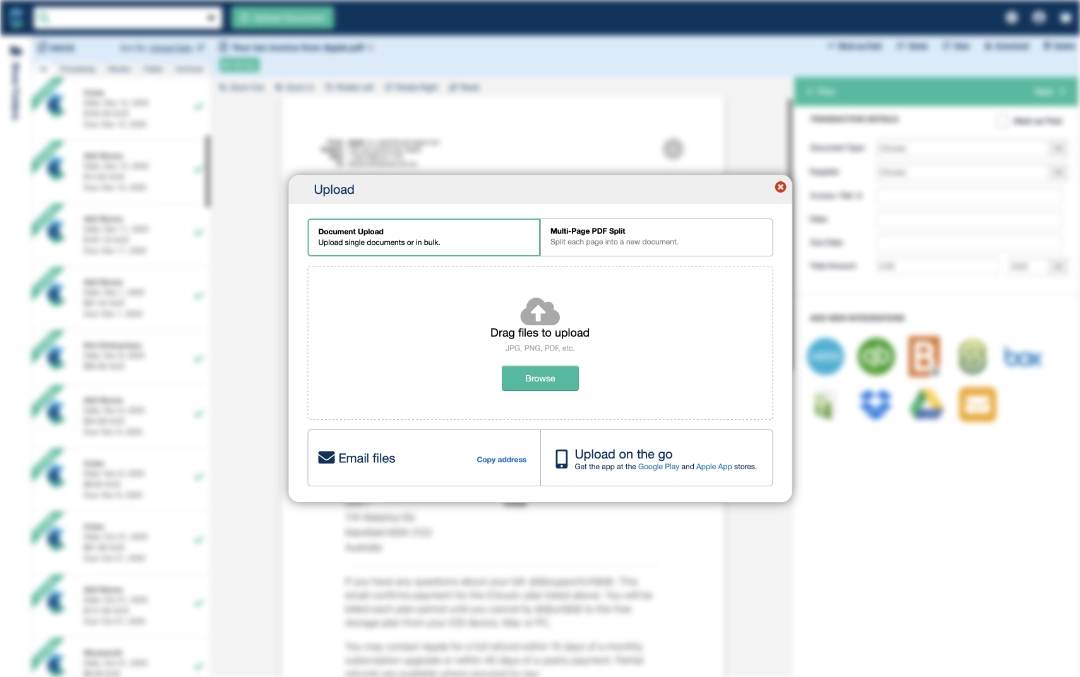
Upload multiple files from the Hubdoc dashboard
4. Upload via Fujitsu ScanSnap
For businesses that process a high volume of paperwork, using a Fujitsu ScanSnap is one of the fastest and most efficient ways to get documents into Hubdoc. ScanSnap devices are designed for high-speed, bulk scanning. With the right setup, you can scan multiple receipts, invoices, or statements in seconds and have them automatically sent to Hubdoc.
How it works:
- Configure your ScanSnap software to send scanned files to your Hubdoc email address
- Load your documents into the scanner
- Press scan—your files are automatically uploaded to Hubdoc for processing
Why this method works well:
- Ideal for businesses with large volumes of paperwork
- Saves time compared to manual uploads
- Reduces handling of physical documents
- Keeps your workflow consistent and efficient
Many businesses use this method for weekly or monthly “bulk scanning,” especially when transitioning from paper-based processes to fully digital record-keeping.
No matter which method you choose, the goal is the same — get your documents into Hubdoc quickly and consistently. Once they’re in, the heavy lifting—data capture, organisation, and publishing to Xero—is handled for you.
Download directly from the Apple App Store or Google Play Store.